Error Handling with and Without AIF
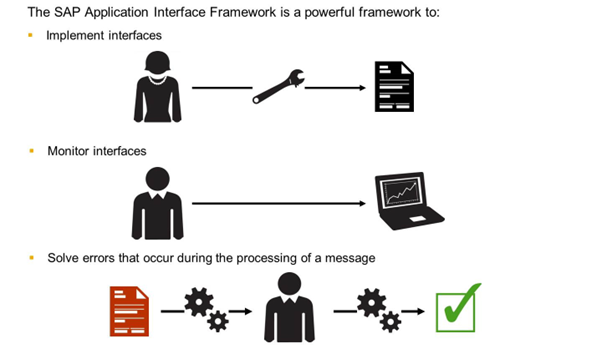
SAP Application Interface Framework
One of the main parts of AIF is to ensure the user who has to solve the problem is informed about the problem and get help from the system, for example, directions on how to proceed.

The figure shows the two main capabilities of AIF:
- Error Monitoring and
- Interface Development.
Interface Implementation (Design Time):
- Interface implementation mainly through Customizing menus.
- Easy access to relevant data or functions of underlying SAP application.
- Re-use of interface components (for example checks, mappings, and actions).
- Supports variants of interfaces (exceptions or additional steps).
- Independent implementation and testing of interface components and interface variants.
Monitoring and Error Handling (Runtime & Operations):
- Business user monitoring (power user).
- Customizable authorizations for interface access.
- Overview of interface status.
AIF focuses on the monitoring of errors with special help for business users. The right people can be informed depending on the content of the interface. For example, it is possible that the errors of one sales organization are sent to one user and those of another sales organization to another user. The monitoring can be done for existing interfaces as well as for interfaces developed in AIF.
Another focus of AIF is the development of interfaces. AIF makes it possible to create all necessary steps to post an interface with an existing business function as well as create a new business function.
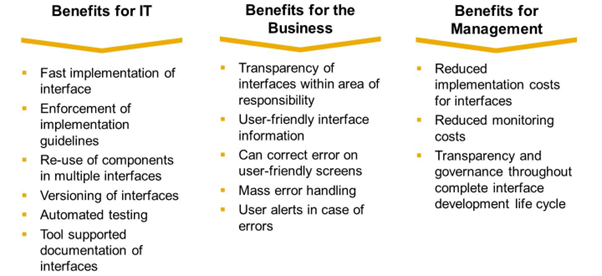
The AIF tools for developers and business users will reduce workload for both IT and Business, resulting in daily work being carried out faster and reducing costs company-wide.
AIF Architecture Overview

Data is sent in different formats (for example IDoc, Proxy, BDoc, and files) from different systems (for example via a middleware system like PI) to the SAP Application System.
The incoming data is passed to AIF. AIF executes the checks, field mappings, and value mappings that are defined for the interface. In addition, the actions are executed from within the actions BAPIs, standard functions, or customer-specific functions are called. These functions post the data in the application system.
The development of an AIF interface is done by a technical user. This user performs the necessary steps in Customizing for the SAP Application Interface Framework.
When data is processed in AIF, an application log is written. The messages stored in the application log or standard logs (for example, an IDoc's status records) are displayed in Monitoring and Error Handling. These messages help the users doing monitoring and error handling to solve the error. Monitoring and error handling is done by business users in the SAP Application System.
If the interface has been enabled for alert management, the business user(s) assigned to the interface is alerted when an error occurs.
You can assign different authorizations to different users to meet security and authorization requirements.
Usage Scenarios

Scenario 1 - Runtime and Monitoring