Introduction to Scripting withFormCalc
At this point in processing, the layout is ready. This event can be used to change final colors, calculate totals in footer rows, and so on. The layout with page breaks and pagination has been determined.
Again try out the script PRESENCE = “hidden” for a field inside the body page at layout:ready. The result will be a gap.
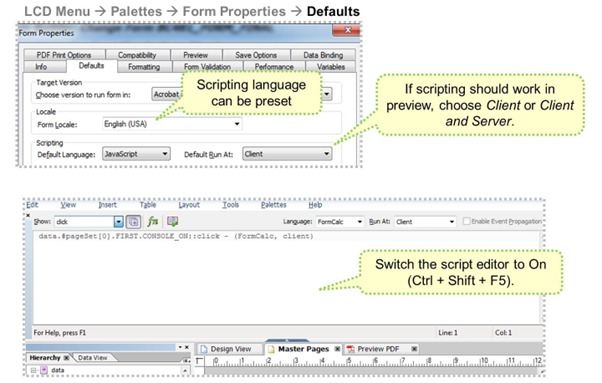
Before you start the form design, it is good practice to preset important fields.
Choose Palettes → Form Properties → Defaults to preset the scripting language.
During the first demos FormCalc is used. Later, more advanced scripting with JavaScript will be shown and the presetting can be changed to JavaScript.
You can set the language directly in the script editor.
The expressiondata.#pageset[0].FIRST.CONSOLE_ON is called a SOM (simple object model) expression and can be used to absolutely address fields or elements.
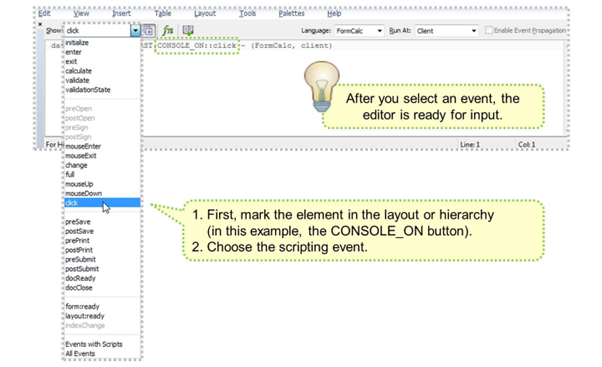
Always follow these steps when coding scripting:
- Mark the field/element in the hierarchy for which scripting should be coded.
- Select the adequate event in the event list of the scripting editor.
- Control if language and “run at” is preset correctly.
- Control the comment row where the marked field and the event are shown.
- Start scripting.
FormCalc is a simple and powerful calculation language. Its purpose is to facilitate fast and efficient form design without requiring a knowledge of traditional scripting techniques or languages. By using a few of the built-in functions, users new to FormCalc can expect to quickly create forms that save end users from performing time-consuming calculations, validations, and other verifications.
In this manner, you can create a basic set of rules for the form design that allows the resulting form to react according to the data it comes into contact with.
Within Adobe LiveCycle Designer, FormCalc is the default scripting language in all scripting locations (with JavaScript as the alternative).
FormCalc treats each new line in the script editor as a new expression to evaluate.
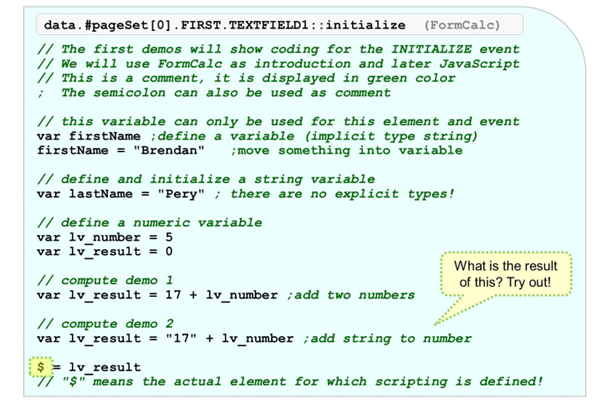
In FormCalc, variables can be defined using the “var” keyword.
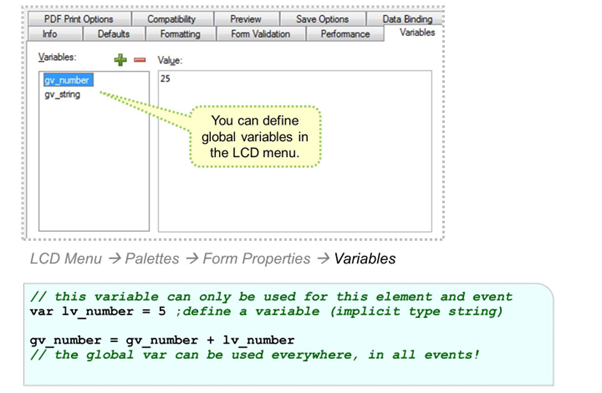
If global variables are needed, choose LCD Menu → Palettes → Form Properties → Defaults.
In general, variables in FormCalc or JavaScript do not have explicit typing.
GV_NUMBER (used in the example figure) can be thought of a numeric variable. If it is used inside a Concat function, FormCalc converts it automatically into a string type variable:gv_result = Concat( “simpletext”, gv_number)
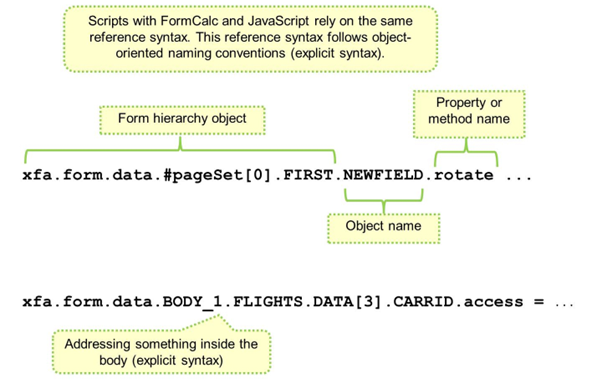
In XFA, scripting elements or fields can be addressed using special reference syntax rules. The two expressions shown above are also called SOM (simple object model) expressions.
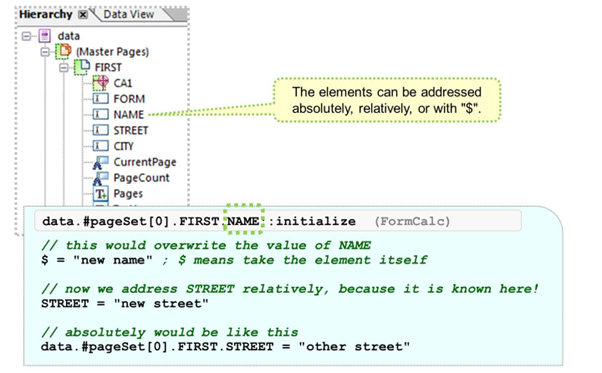
Instead of addressing elements with long explicit syntax, it is possible to use shorter syntax versions.
Adobe recommends using short syntax variants. They are more easily understood and tend to be faster.
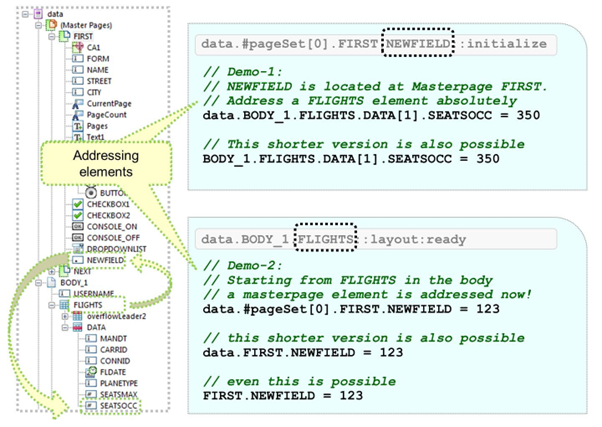
The above examples show how to address different fields on master pages and body pages. Sometimes, relative references can be used.