Enhancing a CDS View
Reminder – Append View

The database view delivered by SAP can be enhanced by partners and customers using views known as append views, without making any modifications.
Further fields from basis tables in the database view can be added to the append view as view fields.
Append views cannot be used to add further basis tables to the view or to modify the join conditions or selection conditions of a database view.
An append view is assigned to exactly one database view. More than one appends view can be created for a database view.
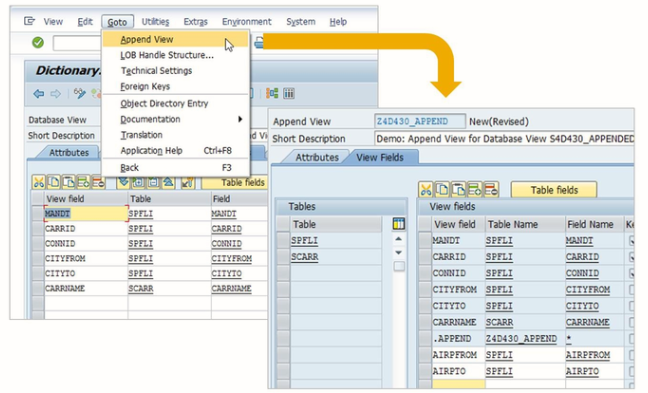
CDS View Extensions
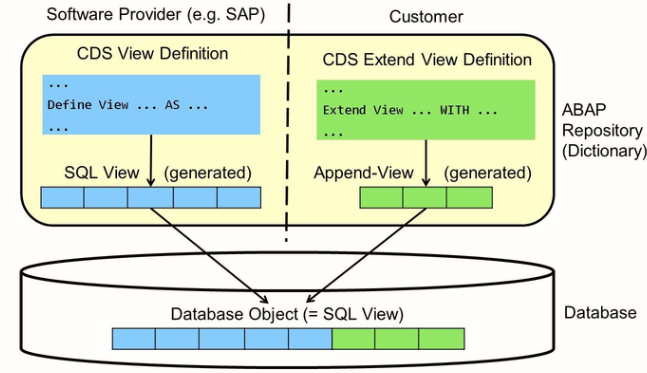
CDS view extensions are defined in dedicated DDL Sources via DDL statement EXTEND VIEW. Every DDL source with a CDS views extension defines two objects: The actual CDS view extension and an Append view. This corresponds to the two objects defined by a standard DDL: The CDS view and the SQL view.
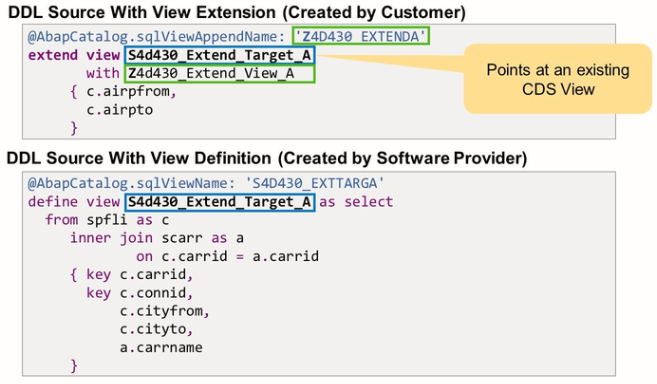
The link between the two DDL sources is established through the CDS view name after keyword EXTEND VIEW.
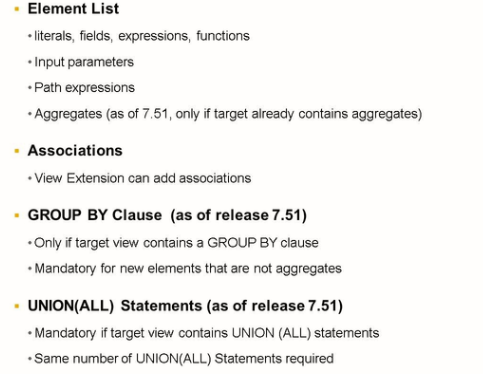
Like classical append views, CDS View extends can add elements to the SELECT list. New is the fact that an extend view can also define additional associations. This can be used, for example, to define an association with a customer-specific database table or CDS view.
As of release 7.51, it is also possible to extend the view that contains aggregations and/or UNIONs. But to do so, the target view has to actively allow this via annotation AbapCatalog.viewEnhancement.Category.
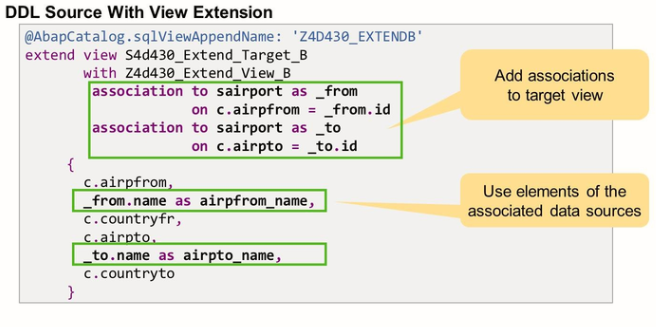
The view extension not only extends the field list. It also adds two associations to table sairport.
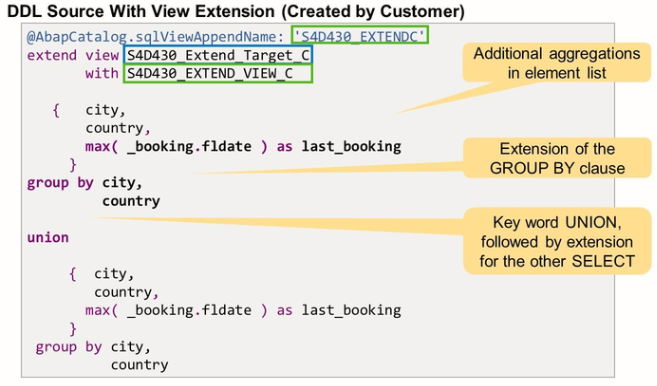
In both SELECT statements, the extension adds fields city and country to the element list and expands the GROUP BY clause accordingly.
Template extendView
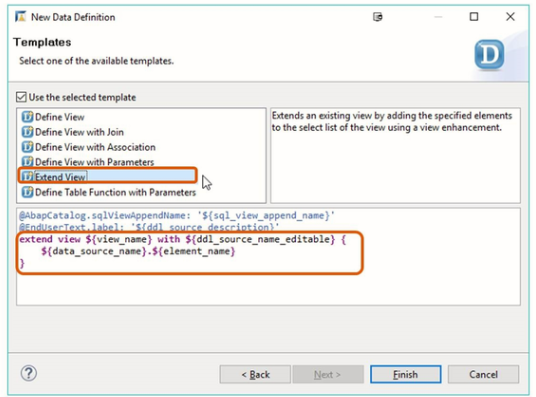
There is a dedicated template for creating the definition of a view extension. After creating the DDL source, you must specify the name of the CDS view you want to extend, the name of the new CDS entity, and the name of the SQL view append.
Recommendations and restrictions for view Extensions

When extending CDS Views, it is advisable to carefully choose the names of repository objects and additional entities to avoid conflicts in future upgrades.
Like with CDS views in general, it is advisable but not mandatory to use the same name for the DDL source and the CDS entity.
The most important restriction also refers to naming: After a DDL source has been transported from the development system, the names of the SQL Append view and the CDS View extend are fixed and cannot be changed anymore.
Annotation viewEnhancementCategory
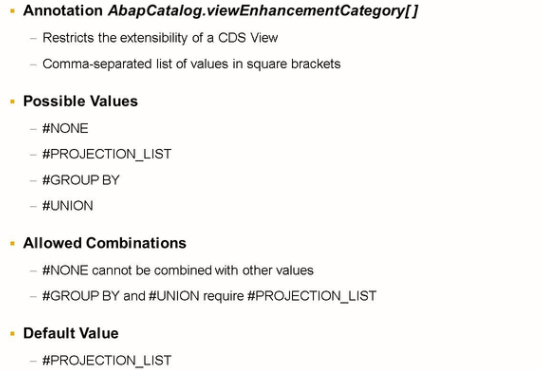
The annotation may be used with a comma-separated list of values in square brackets.
The following value exists:
#NONE: No extensions are allowed. This value cannot be combined with other values.
#PROJECTION_LIST: Extension of the SELECT list and additional associations are allowed: extensions of CDS view whose SELECT lists contain aggregate expressions or have a UNION clause must be permitted using further values.
#GROUP BY: Aggregated or non-aggregated elements are allowed to be added to a SELECT list with aggregated expressions and the associated extensions of the GROUP BY clause are also permitted. Can only be specified together with #PROJECTION_LIST
#UNION: Extensions of the SELECT list of a CDS view with a UNION clause are allowed; can only be specified together with #PROJECTION_LIST